Joule in SAP Ariba: How to Activate It, Prerequisites & Use Cases (2026 Guide)
Learn how to activate Joule in SAP Ariba: prerequisites, step-by-step BTP setup, Joule Agents for sourcing and bids, common mistakes and FAQs.
Joule is SAP's generative AI copilot, and in 2026 it has become part of everyday work in SAP Ariba. Buyers can ask questions in plain English, requesters can raise needs through chat, and Joule Agents can draft RFPs or compare supplier bids. But Joule doesn't switch on by itself. You need the right entitlements, a correctly configured SAP Business Technology Platform (BTP) sub-account and a working identity setup.
This guide explains what Joule in SAP Ariba can do today, what you need before you activate it, and the setup steps, mistakes and governance points we see on real projects.
What Is Joule in SAP Ariba?
Joule is SAP's AI assistant, embedded across SAP cloud applications. Inside SAP Ariba it works within your existing processes and security controls. It adds to supported workflows rather than replacing them, so users only see data and actions they are already authorised for.
According to SAP, Joule connects with SAP Ariba Sourcing, SAP Ariba Supplier Management and SAP Ariba Buying, and is listed as compatible with SAP Ariba Buying and Invoicing and SAP Ariba Category Management. It runs in two modes:
- Joule as an assistant: natural-language questions, guided navigation, short answers drawn from enablement content, and help completing transactional tasks.
- Joule Agents: AI agents that carry out multi-step procurement work, such as drafting a sourcing event or analysing bids, with a human reviewing the result.
New to the platform? Start with our Next-Gen SAP Ariba introduction guide.
Key Joule Capabilities for Procurement Teams (2026)
Joule assistant features
- Natural-language requests: describe a business need in everyday words instead of hunting through catalogs and forms.
- Faster answers: Joule condenses help and enablement content into short, direct answers, so occasional users don't have to read long search-result lists.
- Simpler navigation and tasks: casual requesters can find the right screen or finish a task without training.
- Intelligent contracting: Joule extracts key information from contracts, summarises them, and searches past agreements for discrepancies and compliance issues (released Q4 2025).
- Invoice creation help: Joule guides employees outside accounts payable when they submit invoices from SAP Cloud ERP and fills in missing details.
Joule Agents for SAP Ariba
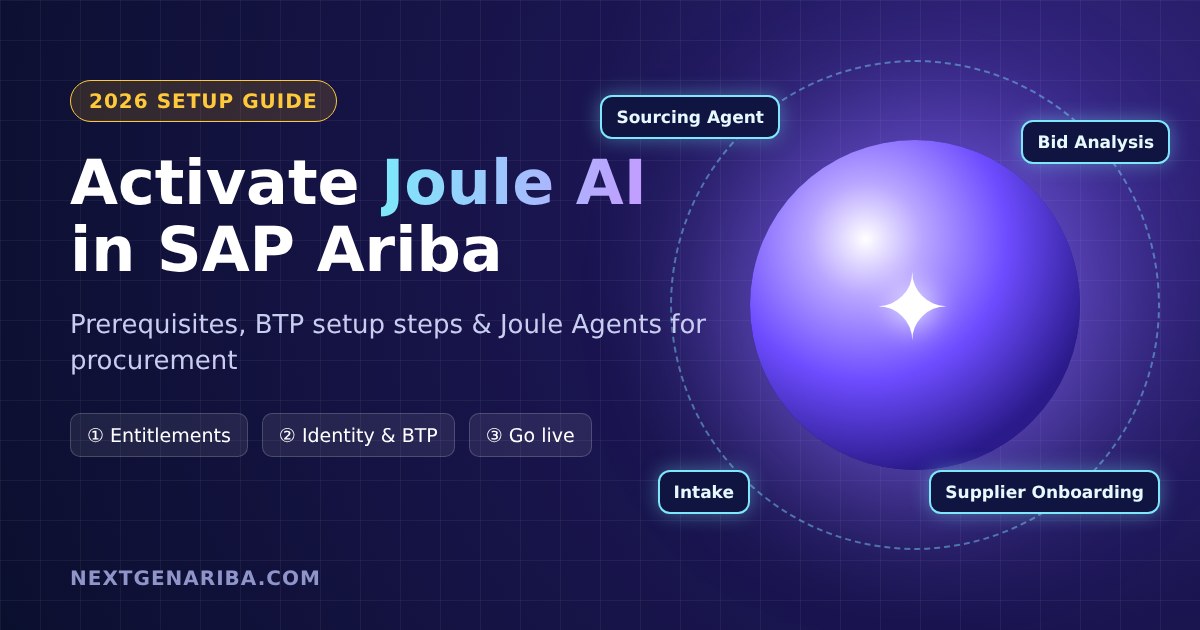
- Sourcing Events Agent: drafts customised RFP documents, uses past events and data to shortlist suppliers, and suggests questions you can edit in real time.
- Bid Analysis Agent: compares supplier bids, including total cost based on unit price, shipping and payment terms, and highlights trade-offs and risks.
- Supplier Onboarding Agent: sends supplier invitations to SAP Business Network, tracks progress and handles escalations.
- Intake Management Agent: takes requests through chat, email and Microsoft Teams, checks policy at intake and classifies spend before a buyer sees the request (GA planned for June 2026).
- AI-assisted contract creation: draft contracts in natural language while terms, pricing and key dates stay linked to downstream processes (GA planned for June 2026).
For the bigger picture of the agent roadmap, read Next-Gen SAP Ariba & Joule AI Agents and our SAP Ariba 2608 release summary.
Prerequisites: What You Need Before Activating Joule in SAP Ariba
Check these before you book any configuration work:
- Joule entitlement: a Joule Base or Premium entitlement. SAP sells Joule for SAP Ariba solutions as an AI feature activated with AI Units, SAP's shared consumption currency for AI.
- SAP BTP enterprise global account: Joule is hosted on BTP. You can add Joule entitlements to an existing global account.
- SAP Build Work Zone (standard edition): lets Joule resolve navigation targets and understand which apps each user can access.
- SAP Cloud Identity Services: Identity Authentication (logon) and Identity Provisioning (user access).
- Administrator access: admin roles in SAP BTP, SAP Cloud Identity Services and your SAP Ariba realms.
- SSO via Cloud Identity Services: SAP Ariba user logon should run through SAP Cloud Identity Services. If it doesn't today, plan this first. A third-party IdP setup needs extra configuration.
How to Set Up Joule for SAP Ariba: Step by Step
SAP's Discovery Center mission "Activate Joule with SAP Ariba" is the official walkthrough. The overall flow looks like this:
- Confirm entitlements and AI Units in your BTP global account (Joule, SAP Build Work Zone, Cloud Identity Services).
- Create or choose a BTP sub-account in a data center that matches your SAP Ariba data center and Joule's supported regions.
- Configure SAP Cloud Identity Services as the identity provider for both SAP Ariba and the BTP sub-account. Use the same Identity Authentication tenant domain on both sides.
- Connect SAP Ariba to SAP Cloud Identity Services for SSO so users log in with one identity.
- Subscribe to SAP Build Work Zone and create its service instance and destinations in the same sub-account as Joule.
- Subscribe to Joule and link it to your SAP Ariba realm, following SAP's onboarding steps for the Ariba-specific settings.
- Assign roles to pilot users in Cloud Identity Services and BTP, then check that their SAP Ariba permissions match what you want Joule to expose.
- Test with real scenarios: ask navigation and how-to questions, create a requisition, and review a contract summary. Confirm that answers respect each user's authorisations.
- Roll out in waves: start with a buyer and requester pilot, collect feedback, then expand.
Want to go deeper on the platform side? See our SAP Joule AI on BTP architecture guide.
Common Setup Mistakes to Avoid
- Using SAML instead of OpenID Connect: per SAP Learning, Joule's identity setup requires OpenID Connect.
- Mismatched identity domains: the Identity Authentication domain must match between SAP Ariba and the BTP sub-account.
- Splitting components across sub-accounts: Joule, Work Zone and its destinations must sit in one sub-account.
- Forgetting tenant limits: one Joule subscription connects to only one tenant of an SAP product. Plan separate sub-accounts for test and production realms.
- Data center mismatch: your SAP Ariba data center must line up with Joule's data center mapping.
- Ignoring language limits: check current language support before rolling Joule out to non-English user groups.
Governance: Keep Humans in Control
Joule Agents draft, compare and route work, but procurement still owns the decision. Before relying on agentic intake or bid analysis:
- Validate approval paths and policy rules that agents will apply.
- Test hand-offs to non-SAP systems and how spend is classified.
- Name an owner for every AI-generated output: RFPs, bid summaries and draft contracts.
- Track AI Unit consumption so costs stay predictable.
SAP has also announced that Joule Agent Runtime is free through 31 December 2026, which makes this year a low-risk time to pilot.
Next Steps
Joule in SAP Ariba can cut the time buyers spend searching, drafting and comparing. Getting there depends on clean identity, BTP and Ariba foundations. If you'd like help, our team handles SAP Ariba implementation and Ariba integration and support, including Joule activation. To build your own agents, read our Joule Studio guide.
Frequently Asked Questions
Is Joule included with SAP Ariba?
No. Joule for SAP Ariba solutions is sold as a separate AI feature (Base or Premium) and activated with SAP AI Units. Check your contract and BTP entitlements.
Which SAP Ariba solutions does Joule support?
SAP lists SAP Ariba Sourcing, Supplier Management, Buying, Buying and Invoicing, and Category Management. Agent availability varies by release.
Do I need SAP BTP to use Joule in SAP Ariba?
Yes. Joule runs on SAP BTP and needs SAP Build Work Zone and SAP Cloud Identity Services in the same setup.
Does Joule work in current-generation SAP Ariba?
Next-gen SAP Ariba has been generally available since March 2026. SAP has said it will back-port at least 60% of agentic capabilities to current-gen Ariba, so check the roadmap for each feature.